Atlassian Marketplace app
Diagrams that live inside your Confluence pages
Write a few lines of text in a macro — get a rendered, interactive diagram on the page. Sequence, Mermaid, PlantUML, DrawIO and OpenAPI, with no external tools and no copy-pasted images.
- Free Lite plan — no credit card
- Installs in under 2 minutes
- 5 of 6 types render in-browser — private by design
// POST /orders
OrderController.create(payload) {
  OrderService.create(payload) {
    order = new Order(payload)
    par {
      PurchaseService.createPO(order)
      InvoiceService.createInvoice(order)
    }
  }
}What is ZenUML for Confluence?
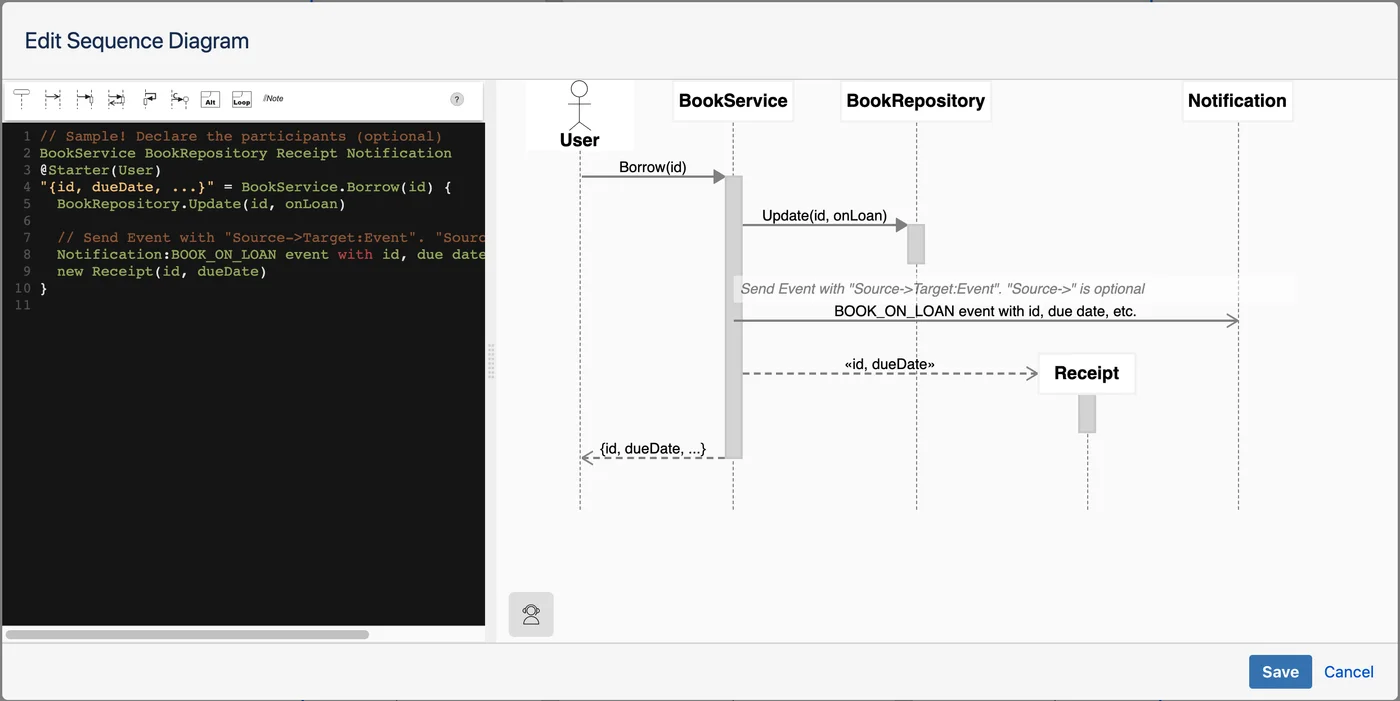
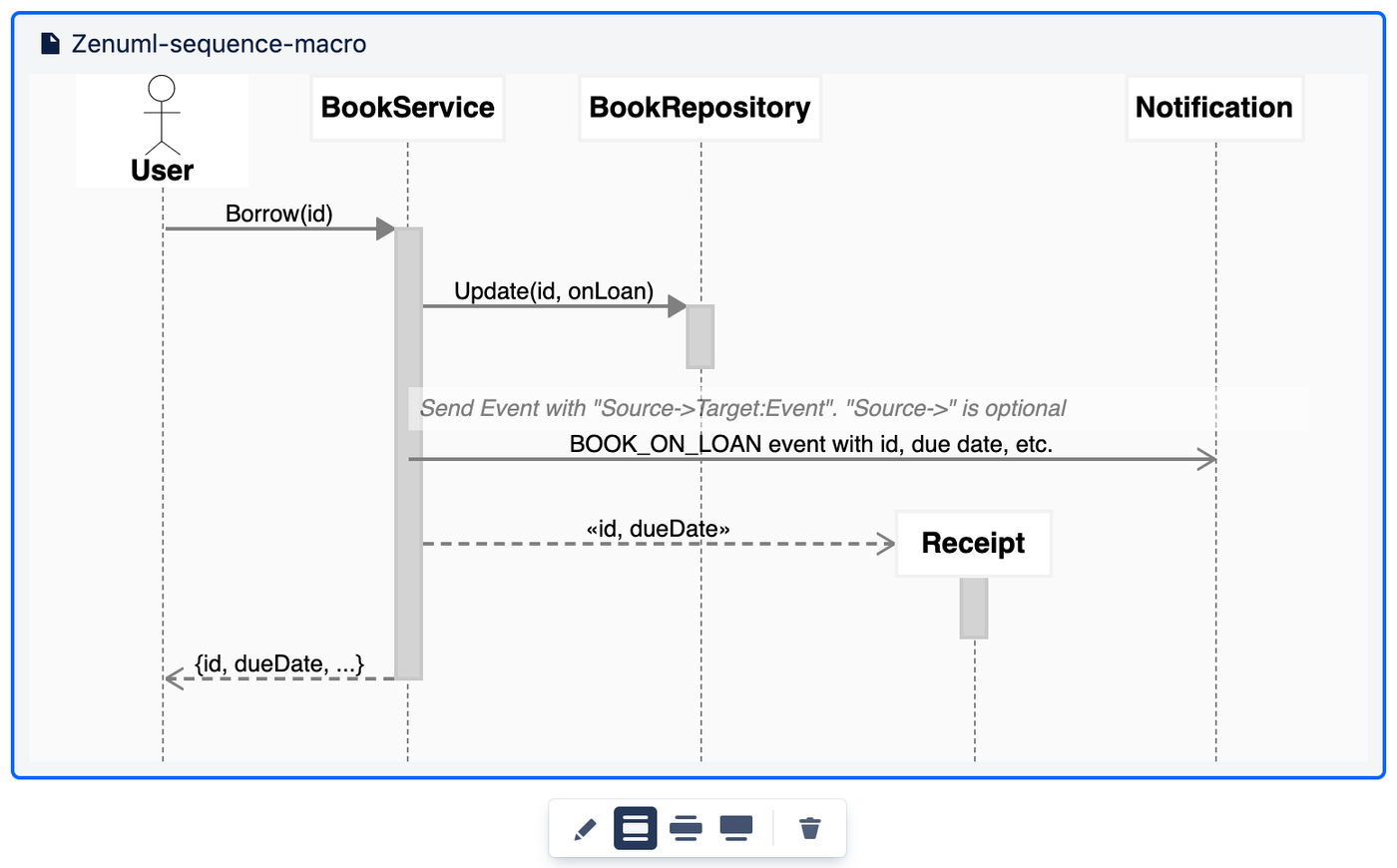
ZenUML for Confluence is an add-on for Atlassian Confluence Cloud that embeds a full-featured diagramming environment directly into the page editor. Instead of exporting an image from an external tool and uploading it, teams write or draw diagrams inside a Confluence macro. The source is stored as Confluence custom content, and the diagram is re-rendered in the browser on every page view — so diagrams and documentation stay in sync.
Engineering teams, solution architects and technical writers use it to keep architecture documentation, API specs and process flows current, next to the pages that describe them. It is published on the Atlassian Marketplace by P&D VISION in two variants: the free Lite plan and the unlimited Full plan — both native Atlassian Forge apps.
6 diagram types, one app
Install once. Every diagram type your engineering team needs is available from the same Confluence macro.
Built for engineering teams
Diagram as code
Diagrams are plain text — reviewable, versionable, diffable. The rendered diagram can never drift from its source.
Private by design
ZenUML, Mermaid, DrawIO and OpenAPI render in the browser and never reach ZenUML servers. PlantUML is the exception — it renders via the public plantuml.com service.
Live preview
The diagram re-renders as you type. Highlight a message on the diagram to jump to its line of code.
Fullscreen editor
Open any diagram in a fullscreen editor with syntax highlighting when the work needs room.
PNG export
Export any diagram as a PNG image for slides, tickets or docs outside Confluence.
Version history
Diagrams are Confluence custom content: page history, permissions and backups apply to them like any page.

Your diagrams stay in Confluence — with one exception
ZenUML sequence, Mermaid, DrawIO, OpenAPI and Embed all render in the browser with client-side engines. The source text is stored as Confluence custom content inside your own Atlassian instance — ZenUML servers never receive the diagram source, including when you export to PNG.
PlantUML is the exception: its source is sent to the public plantuml.com rendering service to produce the image, which is standard for how PlantUML works in every Confluence integration. Teams with strict data-residency or confidentiality requirements should account for this when choosing PlantUML versus ZenUML DSL or Mermaid for sequence diagrams. Separately, the rendered PNG backup used for Confluence's own page export is uploaded to Confluence — sometimes directly from your browser, sometimes relayed through ZenUML's backend on the way — without being stored there either way.
Free vs Paid
Lite — free
$0 forever · no credit card
- Up to 100 diagrams per Confluence space
- All 6 diagram types included
- Full editor, live preview, fullscreen viewer
- PNG export
Full — paid
Per-user via Atlassian Marketplace
- Unlimited diagrams per space
- Everything in Lite
- Priority support
- Billed and managed by Atlassian
Frequently asked questions
What diagram types does ZenUML for Confluence support?
Six types from one macro: ZenUML sequence diagrams (text-based, UML 2.5.1), Mermaid (flowcharts, Gantt, ER, class, state, pie and more), PlantUML (class, activity, component, use-case, deployment), DrawIO drag-and-drop flowcharts and graphs, OpenAPI/Swagger spec rendering, and Embed for reusing a diagram from another page or space.
Is ZenUML for Confluence free?
Yes — ZenUML Lite is completely free, no credit card required. The free Lite plan supports all six diagram types and allows up to 100 diagrams per Confluence space. For teams that need unlimited diagrams across all spaces, the paid Full version is available via the Atlassian Marketplace on a per-user subscription.
How does ZenUML compare to Gliffy and Lucidchart?
ZenUML stores diagrams as plain text (ZenUML DSL, Mermaid, PlantUML), making them versionable and diffable. One app covers ZenUML, Mermaid, PlantUML, DrawIO and OpenAPI, where Gliffy and Lucidchart are format-specific. ZenUML, Mermaid, DrawIO and OpenAPI render in-browser, so that diagram content never reaches ZenUML servers; PlantUML is the exception — its source is sent to the public plantuml.com rendering service, standard for PlantUML integrations. And the Lite tier is genuinely free, not a timed trial.
Can I use Mermaid syntax in Confluence with ZenUML?
Yes. ZenUML for Confluence includes a full Mermaid.js renderer. Write any valid Mermaid diagram — flowcharts, sequence diagrams, Gantt charts, ER diagrams, class diagrams, state diagrams, pie charts — directly in the macro editor. The live preview updates as you type. Diagrams are stored as Mermaid source text in Confluence custom content and rendered in the browser on every page view.
Does ZenUML support DrawIO diagrams in Confluence?
Yes. ZenUML for Confluence includes the DrawIO engine for flowcharts, network diagrams, org charts and general-purpose graphs. The DrawIO editor opens in a fullscreen modal inside Confluence with the full canvas — shapes, connectors, layers and export. No separate DrawIO account or subscription is required.
Is my diagram content sent to external servers?
ZenUML, Mermaid, DrawIO and OpenAPI render entirely in the browser using client-side engines — your diagram source is never transmitted to ZenUML servers for those types. PlantUML is the exception: its source is sent to the public plantuml.com rendering service to produce the image, which is standard for how PlantUML works in every Confluence integration. Separately, the rendered PNG export backup is uploaded to Confluence — sometimes directly from your browser, sometimes relayed through ZenUML's backend on the way — without being stored there either way. Diagrams are stored as Confluence custom content within your Atlassian instance, which suits teams with strict data residency or confidentiality requirements — factor the PlantUML exception in if that applies to you.
What is the difference between the Lite and Full versions?
Lite is free and supports up to 100 diagrams per Confluence space, with all six diagram types included. Full removes the per-space limit and is billed per user via the Atlassian Marketplace.
How do I install ZenUML in Confluence?
Go to the Atlassian Marketplace and search for "ZenUML". Choose the Lite (free) or Full (paid) listing, click "Get it now", select your Confluence Cloud site and confirm. Then edit any page, type /zenuml, and pick a diagram type.
Install in minutes
- 1 Find ZenUML on the Atlassian Marketplace and click “Get it now”.
- 2 Pick your Confluence Cloud site and confirm.
- 3 Edit any page, type
/zenuml, and insert your first diagram.