Mermaid Diagrams in Confluence
Write Mermaid.js syntax directly in your Confluence pages and get flowcharts, sequence diagrams, class diagrams, Gantt charts, ER diagrams, and more — rendered live in the browser, stored as text, and version-controlled alongside your documentation.
Install Free on Marketplace · All Diagram Types
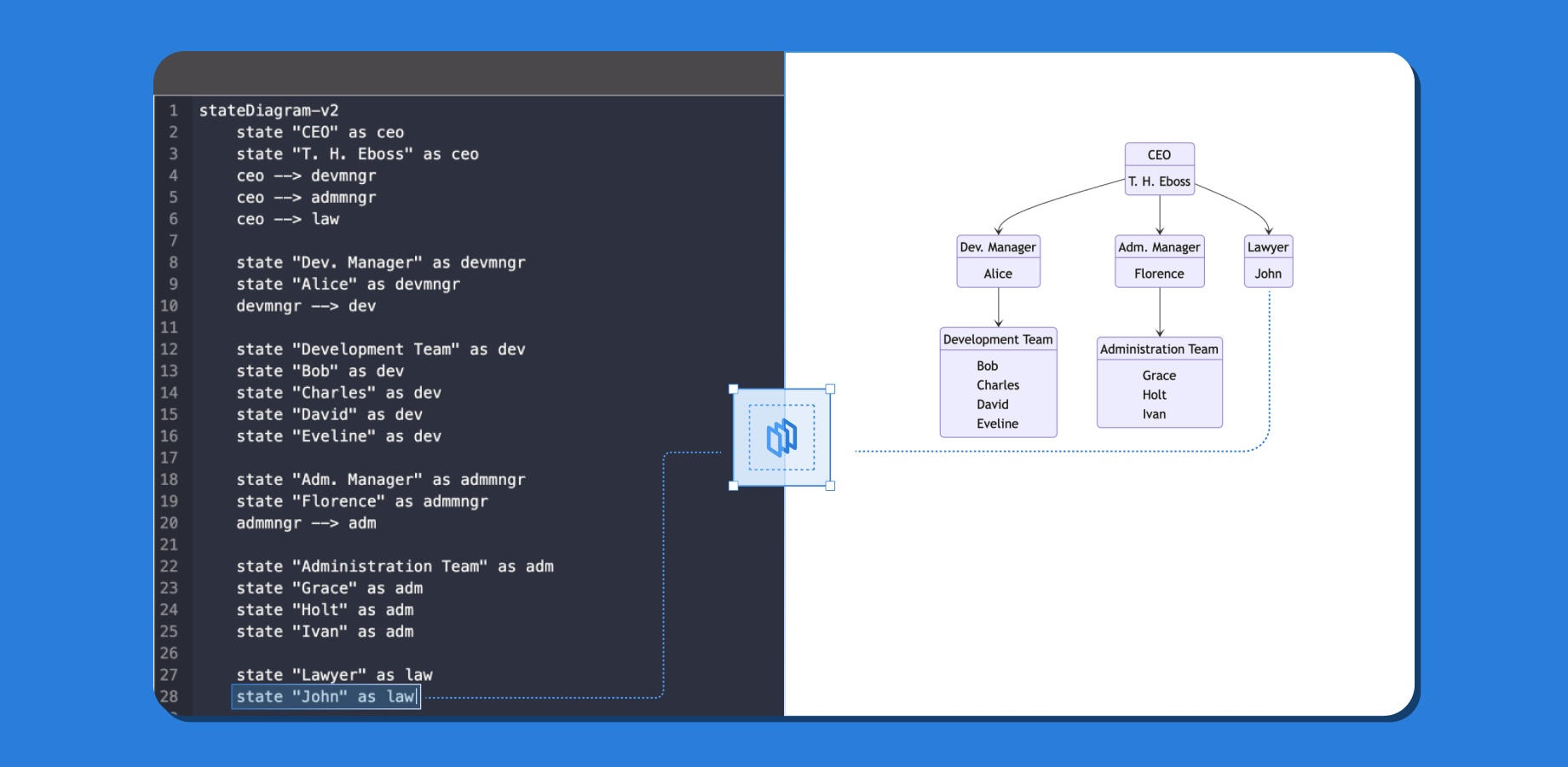
What is Mermaid?
Mermaid is an open-source JavaScript library that generates diagrams from a plain-text definition language. You write a short, human-readable description — similar to Markdown — and Mermaid renders a fully styled diagram directly in the browser, with no image files and no server required.
Mermaid is widely adopted across the developer toolchain. GitHub renders Mermaid code blocks natively in READMEs and pull request descriptions. GitLab, Notion, and many documentation platforms do the same. When you write a diagram as Mermaid source code, it becomes a first-class text artifact: reviewable in a code review, diffable in version control, and portable across every tool that speaks Mermaid.
ZenUML for Confluence brings the same Mermaid.js library into your Atlassian workspace. Paste a diagram you drafted in a GitHub README, write one from scratch in the live editor, or paste in a draft from any external AI assistant — all within the page you are already editing.
Mermaid syntax at a glance
The code below is a complete Mermaid flowchart. Paste it into a ZenUML macro set to the Mermaid type and it renders immediately — no configuration required.
graph TD
  A[User] --> B{Login?}
  B -- Yes --> C[Dashboard]
  B -- No -->  D[Login Page]
  D --> B
The exact source above, rendered live in your browser by Mermaid.js — the same library the ZenUML macro uses.
This syntax is identical to what you would write in a GitHub README fenced code block — no changes required when moving between tools.
Supported Mermaid diagram types
ZenUML for Confluence supports eleven Mermaid diagram types, covering the full range of software architecture, data modelling, project management, and analytics use cases.
flowchart / graph
Directed and undirected flowcharts with decision nodes, subgraphs, and custom shapes.
sequence
Participant-based sequence diagrams with messages, loops, alt/opt blocks, and notes.
class
UML class diagrams with attributes, methods, inheritance, and association relationships.
stateDiagram
State machine diagrams with transitions, composite states, and concurrency forks.
erDiagram
Entity-relationship diagrams with cardinality notations — ideal for documenting database schemas.
gantt
Gantt charts with sections, tasks, durations, dependencies, and milestone markers.
pie
Pie charts with labelled slices — useful for showing distribution and proportions at a glance.
journey
User journey maps that plot tasks by actor and satisfaction score across a defined timeline.
gitgraph
Git branch-and-commit graphs — useful for documenting branching strategies in engineering wikis.
quadrantChart
Two-axis quadrant charts for plotting items by two dimensions — prioritisation, risk, or effort.
xychart
Bar and line charts on x/y axes — for visualising metrics, trends, and time-series data inline.
Why use Mermaid in Confluence?
Same syntax as GitHub and GitLab
Engineers who already write Mermaid in pull request descriptions and README files can paste that exact code into Confluence without any translation. There is no new syntax to learn and no format conversion step.
Diagrams that live next to the docs
Because the diagram source is plain text stored in Confluence custom content, it lives on the same page as the documentation that references it. No switching to Lucidchart, no managing file attachments, no broken image links when files move.
Browser-only rendering — your data stays local
Mermaid.js renders entirely in the visitor's browser. Diagram source code is never sent to ZenUML servers or any third-party rendering service during the display process. This matters for teams with strict data residency requirements.
Version-controllable architecture documentation
Text-based diagrams integrate naturally with a "docs as code" workflow. Store the Mermaid source in your repository, review diagram changes in pull requests, and keep the Confluence page in sync by pasting updated code — no export/import loop.
Live preview eliminates save-to-check cycles
The ZenUML editor renders the diagram in real time as you type. Syntax errors surface inline before you save. You never have to publish a page just to check whether your flowchart looks correct.
Who uses Mermaid in Confluence — and how
Documenting system architecture
Engineering teams use flowchart and class diagrams to document microservice boundaries, dependency graphs, and component relationships alongside their design documents — updating diagrams in the same PR that changes the code.
Modelling database schemas
Solutions architects use erDiagram to capture entity-relationship models in Confluence, giving product managers and QA engineers a readable view of the database schema without requiring access to a database tool or migration files.
Explaining Git branching strategies
Platform and DevOps teams use gitgraph to illustrate branching models (GitFlow, trunk-based development, release branches) in onboarding wikis so new engineers can visualise the workflow before touching the repository.
Mapping user journeys and feature flows
PMs use journey and flowchart diagrams to sketch user flows and satisfaction maps in product specification pages, giving designers and engineers a shared reference without importing assets from a separate design tool.
Tracking project timelines with Gantt charts
Project leads use gantt diagrams to embed lightweight project timelines directly in Confluence milestone pages. The plain-text format means any team member can update a task duration or add a dependency without needing a separate PM tool.
Frequently asked questions
What Mermaid diagram types are supported in ZenUML for Confluence?
ZenUML for Confluence supports eleven Mermaid diagram types: flowchart, sequence, class, stateDiagram, erDiagram, gantt, pie, journey, gitgraph, quadrantChart, and xychart. This covers all of the most commonly used Mermaid diagram types available in the Mermaid.js library.
Is Mermaid syntax the same as GitHub Markdown?
Yes. ZenUML for Confluence uses the same Mermaid.js library that GitHub, GitLab, and Notion use to render fenced Mermaid code blocks. A diagram that renders in a GitHub README will render identically in Confluence using ZenUML — no syntax changes required. The only difference is that in Confluence you paste the diagram body into the ZenUML macro editor rather than wrapping it in a fenced code block.
Can I copy a Mermaid diagram from GitHub into Confluence?
Yes. Copy the Mermaid source code from your GitHub README or pull request (excluding the opening and closing backtick fences and the mermaid language tag), paste it into a ZenUML macro set to the Mermaid type, and it will render immediately. The syntax is identical — there is no translation step. This also works in reverse: a diagram you draft in Confluence can be pasted directly into a GitHub Markdown file.
How do I create a flowchart in Confluence?
Insert a ZenUML macro on your Confluence page, select the Mermaid diagram type in the editor, and type your flowchart using Mermaid's graph or flowchart syntax. A minimal example: graph TD A[Start] --> B{Decision} B -- Yes --> C[Action] B -- No --> D[End] The diagram renders live as you type. When you are satisfied, publish the page and the rendered flowchart is visible to all page viewers without any plugin or export step.
Does Mermaid support ER diagrams and database schemas?
Yes. The erDiagram type in Mermaid lets you define entities, attributes, and relationships — one-to-one, one-to-many, and many-to-many — using a simple text syntax. For example: CUSTOMER ||--o{ ORDER : "places" defines a one-to-many relationship between a customer and their orders. ZenUML for Confluence renders erDiagram fully in the browser, with no server-side processing. It is well suited for documenting database schemas directly alongside your Confluence architecture and API design pages.
Add Mermaid diagrams to Confluence today
Install ZenUML for Confluence from the Atlassian Marketplace — free, no credit card required. Write your first Mermaid diagram in under two minutes.