Everything You Need to Diagram in Confluence
ZenUML for Confluence brings a complete diagramming workspace directly into your Atlassian pages — no external tools, no copy-paste friction. Six diagram types, a distraction-free fullscreen editor, live preview, and one-click PNG export are included on every plan; the Diagramly AI assistant is included on Full.
Install Free on Marketplace · Browse Diagram Types
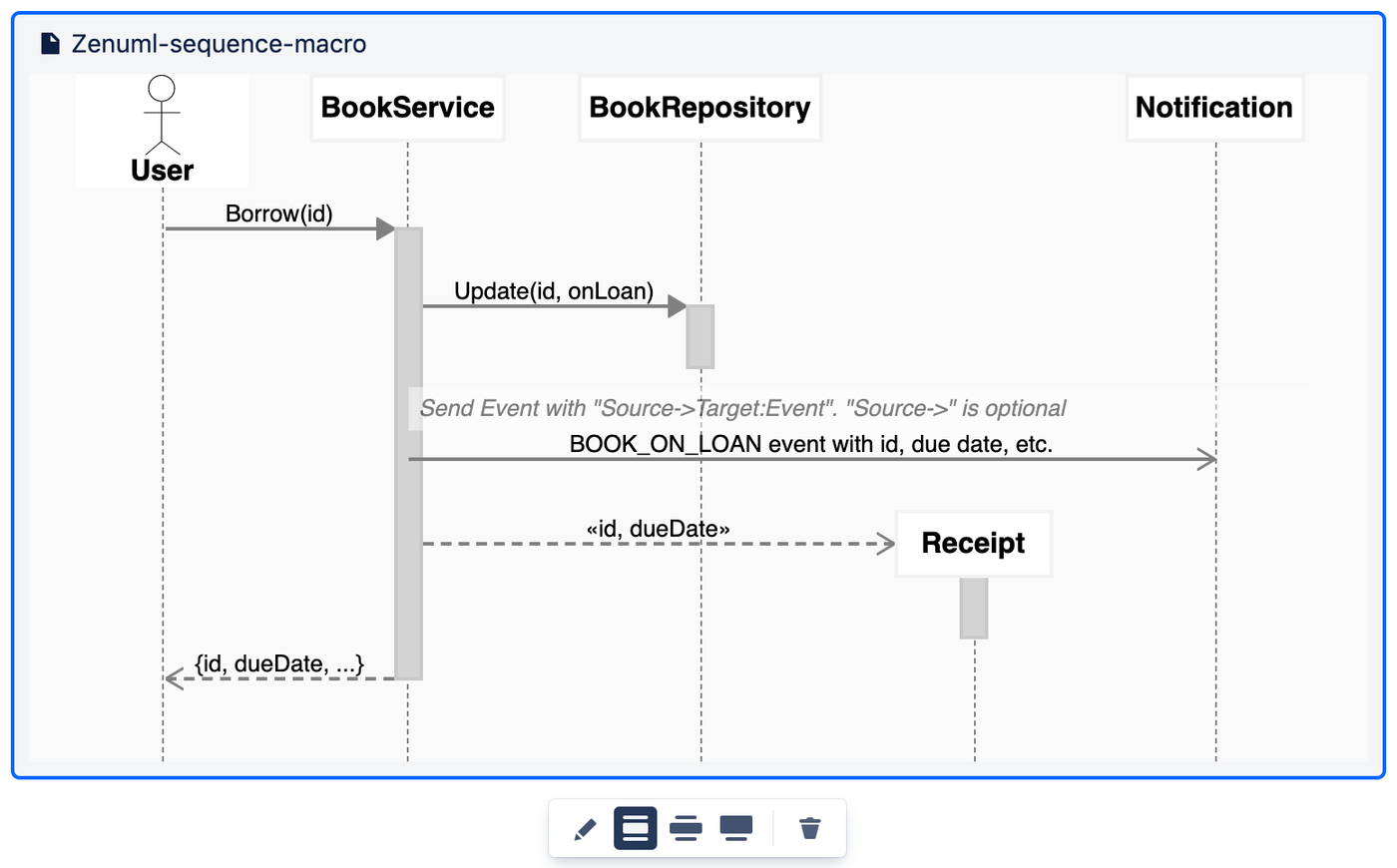
A workspace built for flow
Fullscreen Editor
Opens a full-viewport modal editor for any diagram type — ZenUML, Mermaid, PlantUML, DrawIO, OpenAPI, or Embed. Hides all Confluence chrome so you can focus entirely on the diagram.
Live Preview
The diagram renders in real time as you type — no save required. Syntax errors are highlighted inline so you catch mistakes before they reach your page.
Diagram as Code
All diagram types except DrawIO are stored as plain text source code in Confluence custom content. Copy the source into Git, review diagram changes in PRs, and diff versions over time — the same workflow your engineers already use for code.
Get diagrams out of Confluence
Export to PNG
Export any rendered diagram to PNG directly from Confluence — from both view mode and edit mode, on every plan. No third-party tools, no screen captures. Need the diagram in a PDF or Word doc? Confluence's own page export (Word/PDF) includes a snapshot of the diagram as it appears on the page.
Copy Diagram Code
Copy the full diagram source code to the clipboard with a single click. Paste it into another page, a code editor, or a Git repository without opening the editor.
Version History
Browse the full edit history of any diagram, preview any past version, and restore a previous state with one click. Version history is stored as Confluence custom content versions — no external database required.
Smarter diagramming, on your terms
AI Assistance
ZenUML doesn't generate a diagram from a plain-English description inside Confluence — that capability lives in the separate diagramly.ai product. What's included: AI-assisted repair of broken diagram syntax and AI-suggested diagram titles, plus the Diagramly AI assistant in the editor on the Full variant for additional AI help. You remain in control — any AI output is editable before save.
Privacy-First Rendering
ZenUML sequence, Mermaid, DrawIO, OpenAPI, and Embed diagrams render entirely in the browser — diagram source code never leaves your Confluence instance during rendering, not to ZenUML servers, not to third parties. PlantUML is the exception: its source is sent to the public plantuml.com rendering service to produce the image, standard for PlantUML integrations.
Atlassian Forge
Built entirely on modern Atlassian Forge — not the legacy Connect framework. Forge runs in a sandboxed V8 isolate with no persistent server or auth-token storage on ZenUML infrastructure. Permissions are declared in the app manifest and reviewed by Atlassian at install time.
Beyond sequence diagrams
DrawIO Integration
The full DrawIO drag-and-drop editor is embedded directly in Confluence. Create and edit flowcharts, network diagrams, org charts, and any other graph — no separate DrawIO account or app needed. Diagrams are stored as Confluence custom content.
OpenAPI Viewer
Paste an OpenAPI 3.x or Swagger 2.x specification into the macro and it renders as an interactive Swagger UI — try endpoints, view schemas, explore authentication requirements — all from within your Confluence page.
Embed Diagrams
Embed an existing ZenUML, Mermaid, DrawIO, or OpenAPI macro from any Confluence page into another page. Changes to the source diagram propagate automatically — one source of truth, many viewers.
See all 6 diagram types in detail →
ZenUML Lite vs Full
The Lite variant is free forever. The Full variant adds the Diagramly AI assistant, premium support, and priority access to new features.
| Feature | Lite — Free | Full — Paid |
|---|---|---|
| Fullscreen Editor | ✓ | ✓ |
| Live Preview | ✓ | ✓ |
| Diagram as Code | ✓ | ✓ |
| Version History | ✓ | ✓ |
| Export to PNG | ✓ | ✓ |
| Copy Diagram Code | ✓ | ✓ |
| Privacy-First Rendering | ✓ | ✓ |
| Atlassian Forge (modern runtime) | ✓ | ✓ |
| All 6 Diagram Types | ✓ | ✓ |
| DrawIO Integration | ✓ | ✓ |
| OpenAPI Viewer | ✓ | ✓ |
| Embed Diagrams | ✓ | ✓ |
| AI Syntax Repair & Title Suggestions Rolling out | ✓ | ✓ |
| Diagramly AI Assistant Full only | ✗ | ✓ |
| Priority Support Full only | ✗ | ✓ |
Frequently asked questions
Does ZenUML for Confluence work with both Lite and Full variants?
Most features are available in both variants. The Lite variant (free) includes live preview, fullscreen editor, version history, PNG export, and all 6 diagram types. The Diagramly AI assistant is available in the Full (paid) variant; Lite includes AI-assisted repair of broken diagram syntax and AI title suggestions. See the comparison table above for a complete breakdown.
Is my diagram content sent to ZenUML servers during rendering?
ZenUML sequence, Mermaid, DrawIO, OpenAPI, and Embed types render entirely in the browser, and your diagram source code never leaves your Confluence instance for those. PlantUML is the exception: its source is sent to the public plantuml.com rendering service to produce the image — standard for how PlantUML works in every Confluence integration.
Can I export diagrams to PNG or PDF?
You can export any diagram to PNG from the fullscreen viewer, in both view mode and edit mode, on every variant. There's no separate PDF export from the app itself. If you need the diagram inside a PDF or Word document, Confluence's own page export (Word/PDF) includes a snapshot of the diagram as it appears on the page.
How does the AI diagram generation feature work?
ZenUML doesn't include a built-in text-to-diagram generation feature inside the Confluence app — that capability lives in the separate diagramly.ai product. What's included: AI-assisted repair of broken diagram syntax and AI-suggested diagram titles, plus the Diagramly AI assistant in the editor on the Full variant for additional AI help. You can paste diagram code generated by any external AI assistant (ChatGPT, Claude, Gemini) directly into the editor.
What does "Diagram as Code" mean for my team?
All diagram types except DrawIO store diagrams as plain text source code in Confluence custom content. This means you can copy the source, store it in a Git repository, review changes in pull requests, and diff diagram versions over time — the same workflow your engineers already use for code. DrawIO stores an XML-based format that is also human-readable.
Start diagramming for free
Install ZenUML for Confluence from the Atlassian Marketplace — no credit card required. The Lite variant is free for any team size with no macro limit on publish.