ZenUML Diagrams For Confluence
This page describes an earlier version of the app, installed via the Atlassian Universal Plugin Manager (UPM). The current app is a Confluence Cloud-only Atlassian Forge app, installed from the Atlassian Marketplace — see ZenUML for Confluence for the current installation flow. This page is kept for historical reference and has not been rewritten.
For features, pricing, diagram types and FAQ, see ZenUML for Confluence. This page covers installation and day-to-day use.

How to Use
Installation
You can find the plugin landing page on:
ZenUML Diagrams for Confluence(FREEMIUM) | Atlassian Marketplace
This add-on must be installed through the Atlassian Universal Plugin Manager (UPM):
- Click on Settings on your Confluence Cloud instance
- Click Find new apps from the left-hand side of the page
- Locate ZenUML Diagrams for Confluence (FREEMIUM)
- Click Try it free to install
- Congratuations!
Open / Create Diagrams
A ZenUML diagram/graph can be created within any Confluence page you have permission to edit.
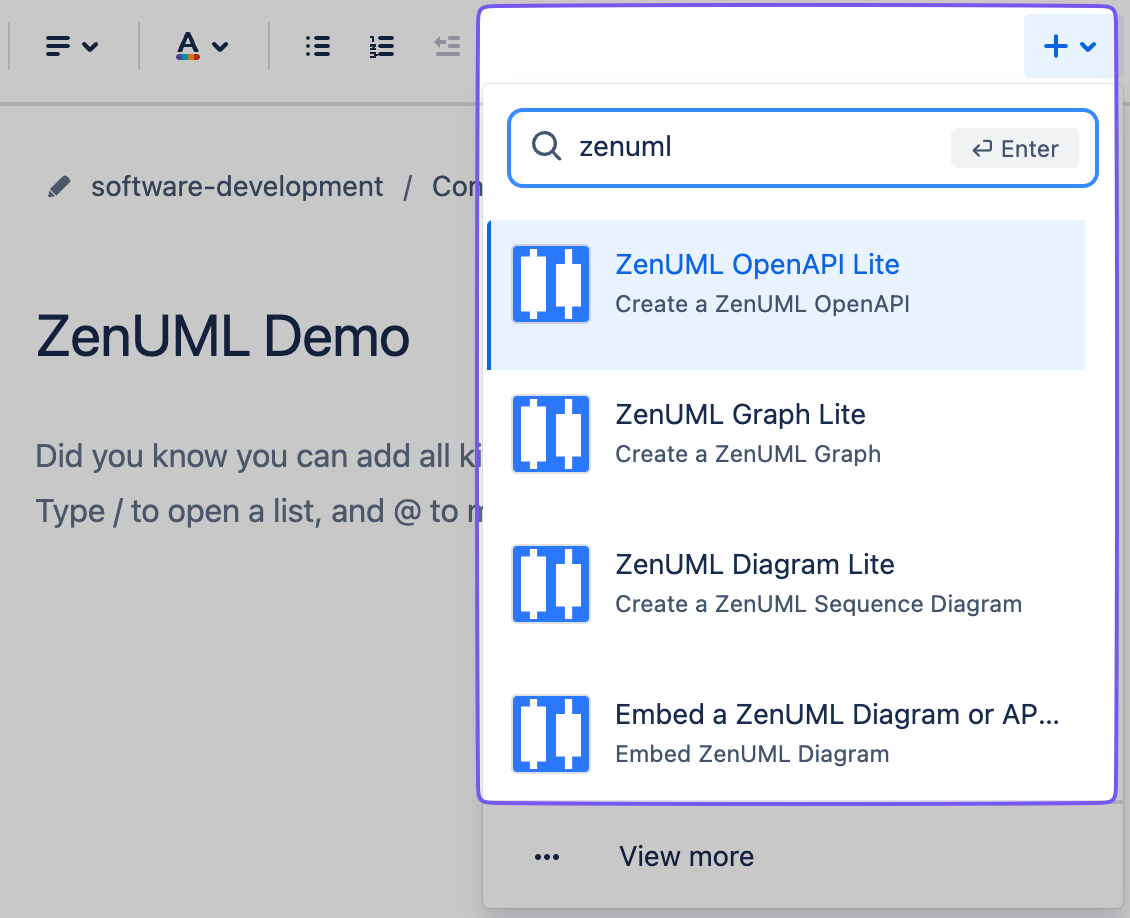
From the menu +↓
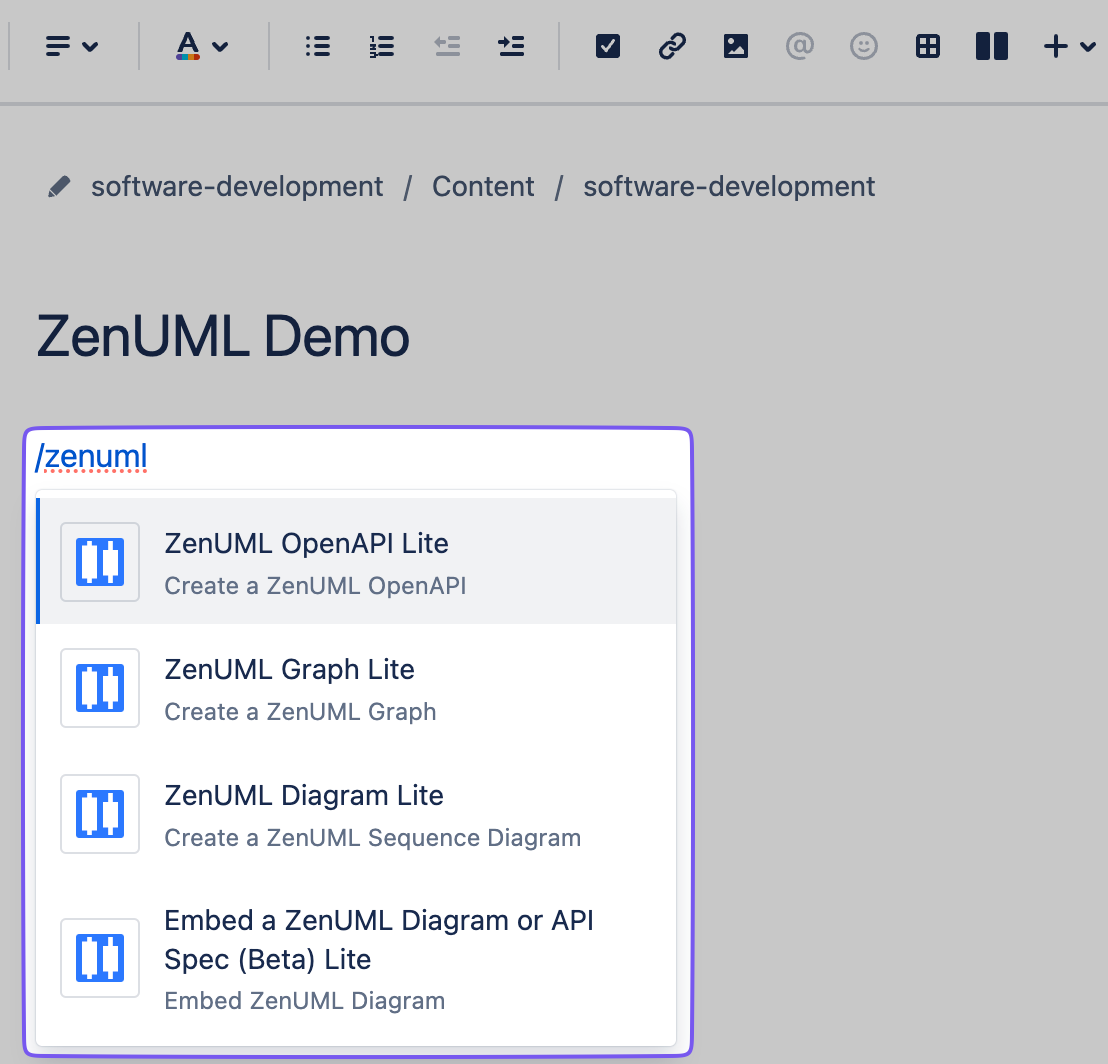
You can also use the shortcut: /zenuml.
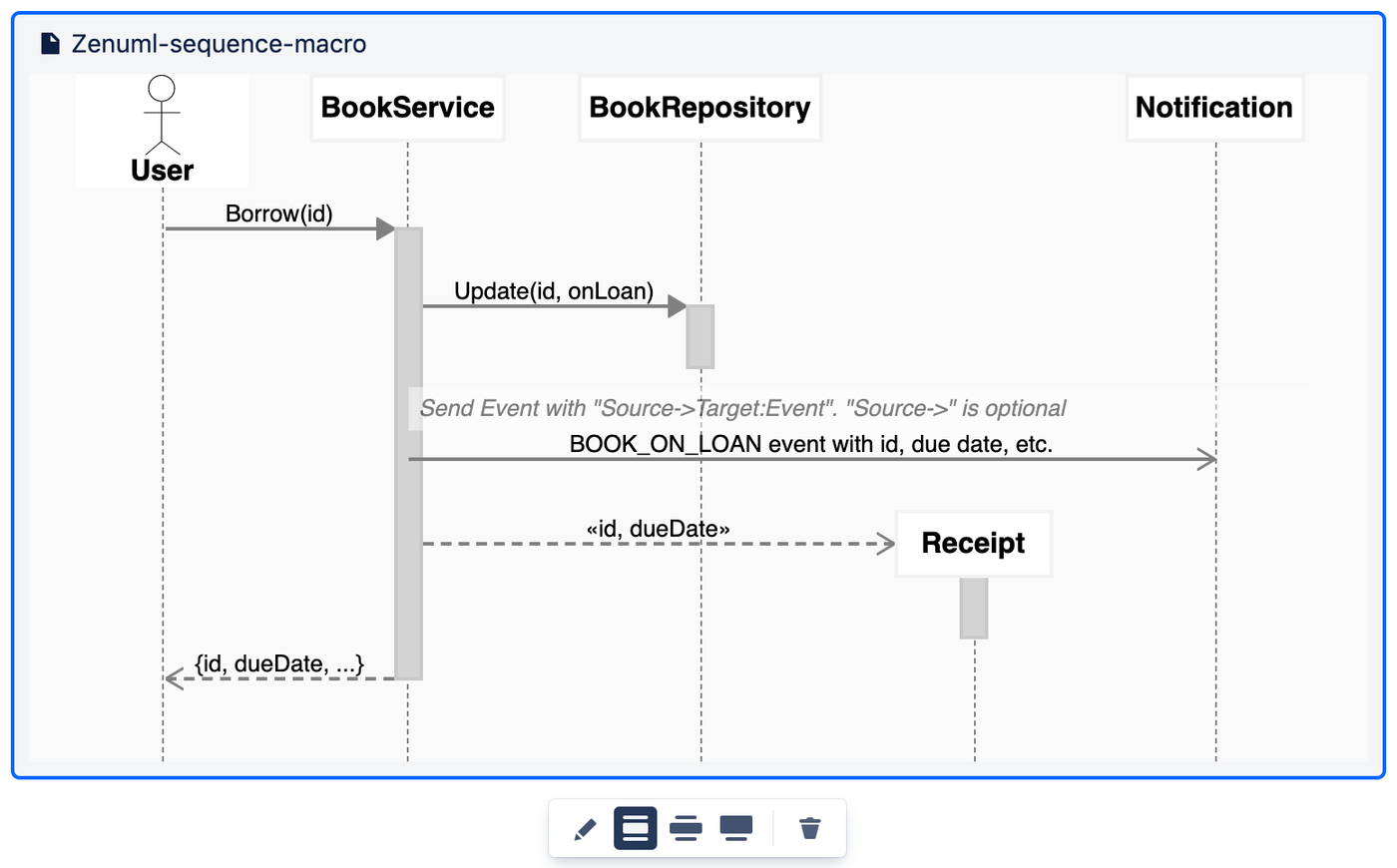
Edit mode
Click the PEN icon below the macro to enter the edit mode.
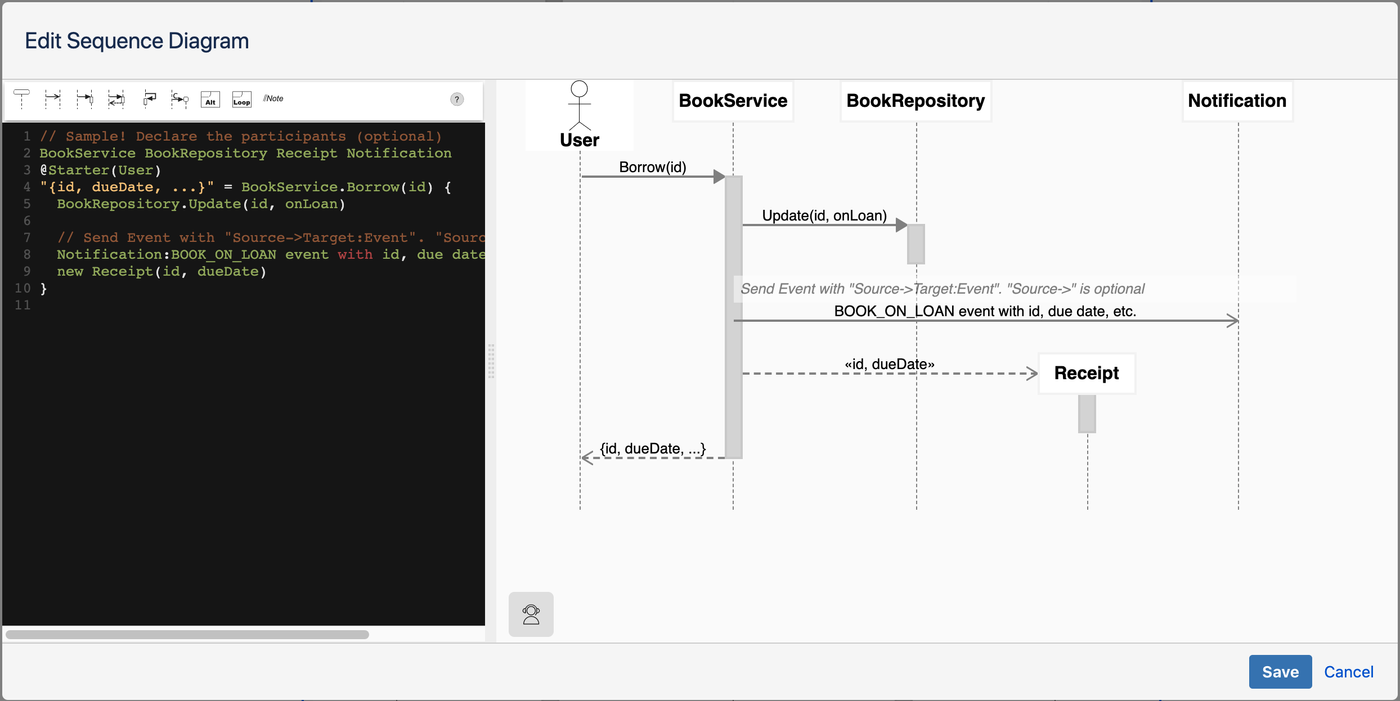
Save a diagram
When you finished editing, you can save the diagram by clicking the “Save” button. After saving a diagram, it can be edited at any time - click on the diagram, and then click on the PEN icon in the toolbar.
View mode
In view mode, you can search on the diagram by using standard browser searching functionality.
New Features
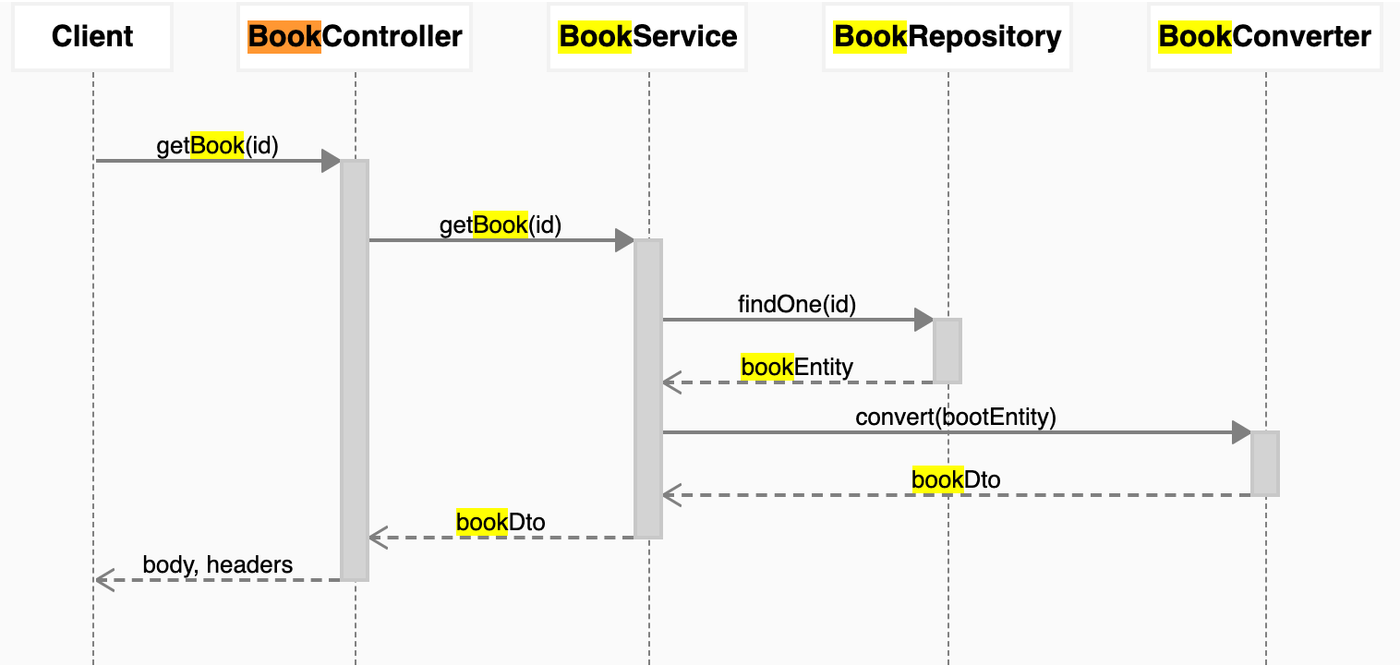
Highlight Diagram Messages / Code
When you move the cursor in the code editor, the corresponding message will be highlighted; if you click a message in the diagram, the corresponding code will be highlight in the editor.

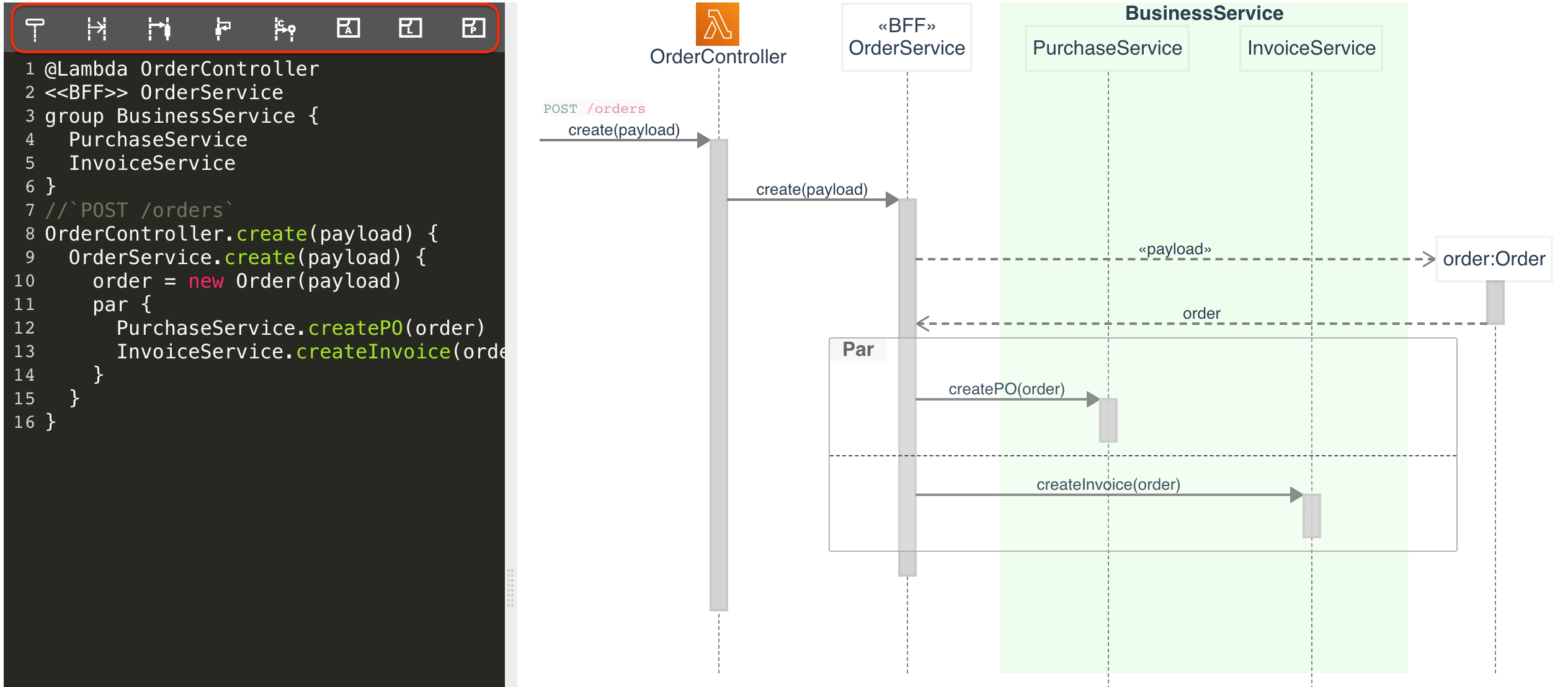
Quick Toolbar
ZenUML Graph
A new macro has been added to the ZenUML plugin. With this new macro you can draw any diagram you like. We are migrating text to digram feature to this new macro.
This macro is built on top of mxgraph.
Mermaid Diagrams
In the latest version, we have integrated mermaid into the plugin.
Data Privacy and Security
We compliance with the Atlassian security self-assessment.
We do not store or access any of your data beyond what Confluence itself stores. ZenUML App follows a Serverless architecture style; unlike other products, most ZenUML diagram types are generated within the browser using HTML (+SVG), JavaScript and CSS. PlantUML is the exception — its source is sent to the public plantuml.com rendering service to produce the image, which is standard for PlantUML integrations. The following diagram shows a high-level architecture of the Application.

We only collect usage data via Google analytics.
Compliant with Standard
We have built-in our 20 years of experience in software development and architecture into ZenUML. The produced diagram is automatically standard compliant with OMG UML(R) 2.5.1.